FTDX1200 Operating Manual Page 89

CW CONVENIENCE FEATURES Cont'd

Previous Page    Index of Topics    Table of Contents    Index of Pages    Next Page

CW DECODE

When the optional FFT unit is installed, alphanumeric Morse code can be decoded and displayed as text on the TFT display.


    1. Press the [MODE] button to set the operating mode to CW.

    2. Tune the reciver to a CW signal, then press and hold the [SCOPE] switch for one second or longer.

ADVICE:
The CW DECODE screen is displayed, and the decoded message is displayed on the screen.

NOTE:
Interferring signals, noice, phasing, code accuracy, and the like may prevent accurate message copy.

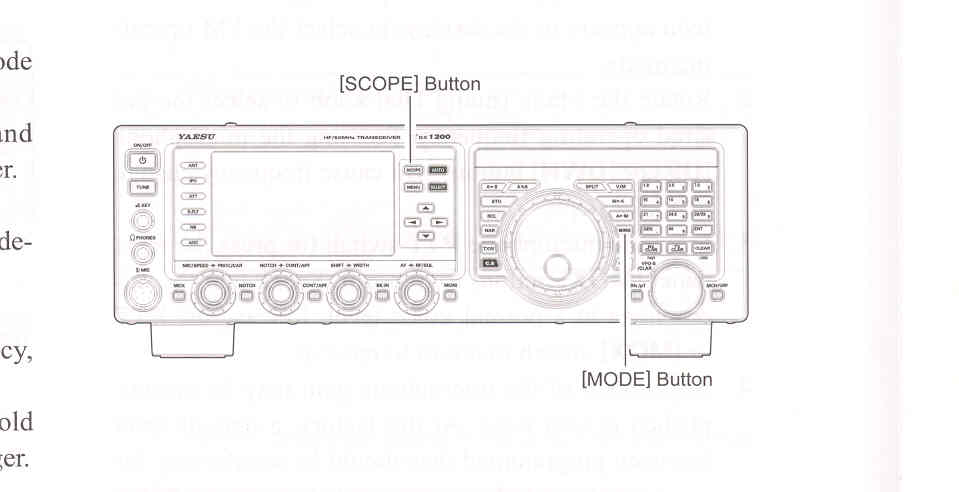
    3. To cancel the CW decode function, press and hold the [SCOPE] switch again for one second or longer.

ADVICE:

If scrambled text is displayed due to noise and clutter, when a CW signal is not being received, turn the [VFO-B/CLAR] knob to adjust the threshold level.

Decoding accuracy will increase if you trun the [MIC/SPEED] knob and adjust to a speed close to that of the CW signal being received.


* If you transmit content written to the Contest Memory Keyer (page 84), the transmit CW signal is displayed as text.
Note that transmitted text is displayed in white.

Threshold Level Adjustment

Scrambled text may be displayed due to noise and clutter, when a signal is not being received. You can adjust the threshold level to reduce or eliminate the scrambled text.

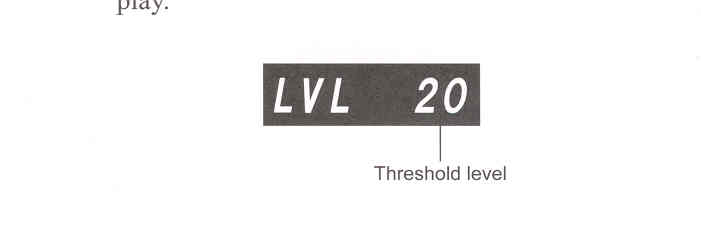
Turn the [VFO-B/CLAR] knob, and adjust the threshold level (between 0 and 100) so text is not displayed due to noise and the like.

Note that text will no longer be displayed for weak signals if you increase the level too much.

You switch between threshold level display and normal display each time you press the [SELECT] button.

The threshold level is displayed in the TFT display.


End of "CW Decode"

End of "CW Convenience Features"

Previous Page    Index of Topics    Table of Contents    Back to Top    Index of Pages    Next Page

FTDX1200 Operating Manual Page 89